Sonar vs Downscan: Which One Should You Choose?
You rely on sonar’s low-frequency, wide beams to detect fish at greater depths and maintain accuracy at faster speeds.
Downscan uses high-frequency, narrow beams to create sharp, photo-like images in shallow water but requires steady, slower movement for clear results.
Sonar excels in murky or deep conditions, while downscan reveals detailed underwater structures in clear, shallow areas.
Understanding where and how each works best will help you optimize your fishing strategy.
Key Takeaways
- Sonar uses lower frequencies and wide beams to detect fish and bottom contours, while downscan uses higher frequencies and narrow beams for detailed images.
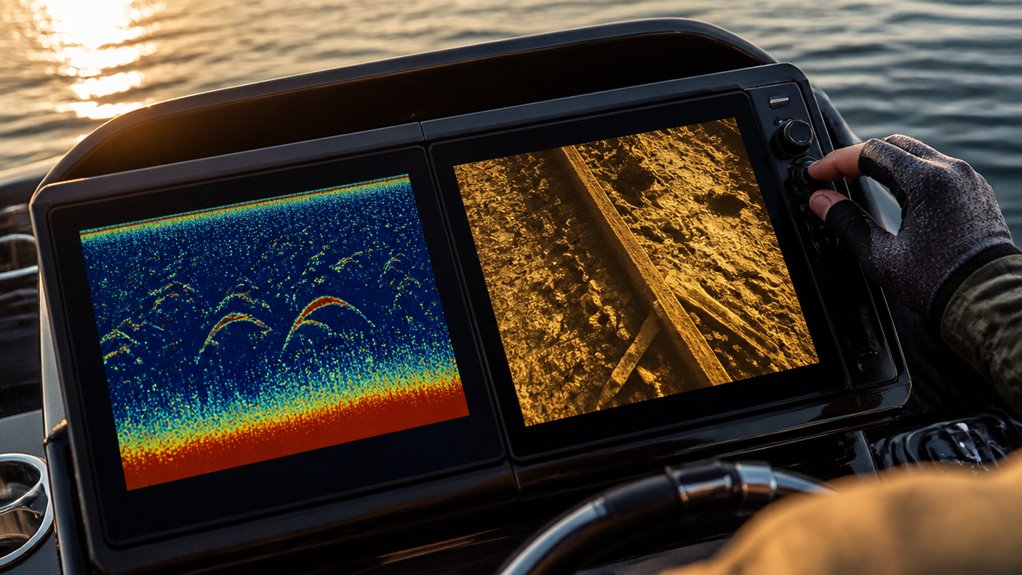
- Sonar shows fish as colored arches; downscan depicts fish as distinct dots and reveals underwater structures photo-like.
- Sonar performs well at high speeds and deep, murky water; downscan requires slower speeds and clear, shallow water for best clarity.
- Downscan provides sharp, high-definition views of structures but is limited by depth and water conditions compared to sonar.
- Combining sonar and downscan offers broad fish detection with precise structural identification for effective fishing and navigation.
Sonar or Downscan: Side-by-Side Feature Breakdown
| Feature | Sonar | Downscan |
|---|---|---|
| Technology Type | Traditional 2D sonar imaging | High-definition down imaging |
| Frequency Range | 50–200 kHz | 455–800 kHz |
| Beam Shape | Wide cone-shaped beam | Narrow focused beam |
| Image Detail | Lower detail, shows fish as arches | High detail, photo-like underwater views |
| Fish Detection | Excellent for locating fish presence | Good for identifying exact positions near structures |
| Structure Identification | General bottom contours and large features | Detailed views of rocks, brush piles, and cover |
| Depth Performance | Excellent in deep water | Best in shallow water |
| Ideal Depth | Over 60 feet | Under 60 feet |
| Boat Speed Performance | Works well at higher speeds | Requires slower, steady movement |
| Water Clarity | Performs well in murky water | Best in clear water |
| Target Display | Fish appear as colored arches | Fish appear as distinct dots |
| Coverage Area | Broad underwater search area | Narrow, detailed scanning area |
| Power Consumption | Lower | Higher due to high-frequency operation |
| Best Use | Finding fish and depth changes quickly | Examining underwater structures precisely |
| Main Advantage | Greater depth penetration and wide coverage | Superior image clarity and structure detail |
| Main Drawback | Less detailed images | Limited depth range and speed sensitivity |
What Are Sonar and Downscan Technologies?
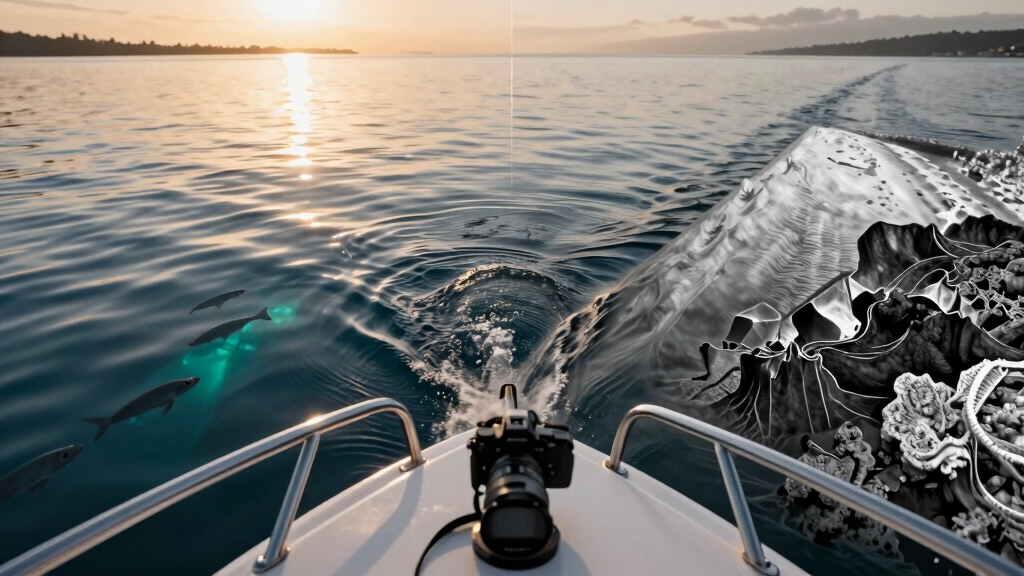
When you use sonar technology, you send sound waves into the water to detect fish and underwater structures by measuring the echoes that bounce back.
Sonar technology works by sending sound waves underwater and interpreting the returning echoes to reveal fish and structures.
Traditional sonar operates at lower frequencies, usually 50 kHz, 83 kHz, or 200 kHz, emitting a wide cone-shaped beam that covers a broad area.
This allows you to identify fish as colored arches and detect bottom contours, even at greater depths.
Downscan technology, in contrast, uses much higher frequencies like 455 kHz or 800 kHz, producing a narrow, focused beam about 19 degrees wide.
This results in detailed, high-definition images that resemble photographs, enabling you to distinguish specific underwater structures clearly.
Although downscan provides superior resolution, it sacrifices penetration depth compared to traditional sonar, making each technology suited to different underwater exploration needs.
Modern devices often combine frequencies to balance coverage and detail, with some offering dual-frequency sonar for enhanced mapping and fish detection.
How Frequency and Beam Differences Affect Sonar and Downscan?
Because sonar and downscan use different frequencies and beam shapes, their performance and imaging capabilities vary markedly.
Sonar operates at lower frequencies (50 to 200 kHz) with wide beam angles of 45 to 60 degrees. This allows deeper penetration and broader coverage.
This wide cone captures larger areas but produces less detailed images, displaying fish as colored arches and bottom returns as diffuse blobs.
Downscan employs much higher frequencies (455 to 800 kHz) with a narrow beam around 19 degrees. This limits depth but enhances resolution.
This focused beam reduces noise and reveals underwater structures with sharp, photo-like clarity, showing fish as distinct dots rather than arches.
Understanding these frequency and beam differences helps you choose the right tool for your specific underwater imaging needs.
Many advanced fish finders combine multiple frequencies and beam angles to optimize both coverage and detail for diverse fishing conditions, as seen in devices like the Deeper PRO+ 2.
How Boat Speed Impacts Sonar and Downscan for Fishing
Although both sonar and downscan provide valuable underwater information, your boat speed directly influences their effectiveness in different ways.
Traditional 2D sonar maintains accuracy at higher speeds, allowing you to detect fish and structures without much distortion.
Conversely, downscan imaging demands a steady, slower pace to produce continuous, high-definition images. Excessive speed causes gaps or blurring.
Understanding the preferred habitat and cover of target species like dorado can help optimize sonar and downscan usage during fishing.
| Boat Speed | 2D Sonar Performance | Downscan Performance |
|---|---|---|
| Slow (0-5 mph) | Clear target separation | Crisp, continuous images |
| Moderate (5-10 mph) | Reliable fish detection | Some image distortion |
| Fast (10+ mph) | Maintains target clarity | Significant image gaps |
| Variable | Consistent returns | Requires steady motion |
Manage your speed carefully to maximize each system’s strengths during fishing trips.
When to Choose Sonar or Downscan Based on Depth and Water Conditions?
Boat speed plays a significant role in sonar and downscan performance, but depth and water conditions also heavily influence which technology suits your fishing needs best.
When fishing in waters deeper than 60 feet, traditional 2D sonar is your go-to because its lower frequency signals penetrate deeper with less absorption.
In contrast, downscan imaging uses high-frequency waves that excel in shallow water, typically less than 60 feet, where they reveal fine structural details with exceptional clarity.
However, these high frequencies attenuate quickly in murky or deep water, reducing effectiveness.
If you’re piloting through clear, shallow areas with complex structures, downscan provides crisp, photo-like imagery.
For turbid or deep environments, rely on 2D sonar’s wider beam and superior depth penetration to maintain target visibility despite challenging conditions.
Modern trolling motors like the Garmin Force use brushless motor technology, which reduces sonar interference and helps maintain clearer underwater imaging.
Best Uses of Sonar and Downscan for Locating Fish and Structures
Harnessing the strengths of both traditional 2D sonar and Downscan imaging allows you to optimize fish and structure detection. You’ll rely on 2D sonar for broad, deep-water searches, spotting fish as colored arches and distinguishing targets at various speeds and depths. Downscan excels in shallow waters where precision imaging of structures is critical, revealing detailed shapes like brush piles or rock piles.
Combining 2D sonar and Downscan imaging enhances fish detection and reveals underwater structures with precision.
Use these best practices:
- Employ 2D sonar for deep water (>60 ft) and fast boat speeds to detect fish presence.
- Use Downscan in shallow water (<60 ft) for high-definition structural identification.
- Combine both to separate tight targets: 2D for fish, Downscan for precise structure.
- Maintain steady speed with Downscan to avoid image gaps and maximize detail clarity.
For small watercraft like jon boats, units with integrated GPS and clear Downscan or CHIRP sonar, such as the Garmin Striker 4, provide enhanced target separation and waypoint marking for returning to productive fishing spots.
Frequently Asked Questions
Can Sonar and Downscan Be Used Simultaneously on One Device?
Yes, you can use sonar and downscan simultaneously on one device. Many modern fish finders integrate both technologies, allowing you to view traditional 2D sonar data alongside high-definition downscan imagery.
This dual display helps you identify fish and precisely map underwater structures in real time. Just make sure your device supports split-screen or overlay functions, so you don’t miss critical details from either sonar or downscan during your fishing trips.
How Does Water Temperature Affect Sonar and Downscan Performance?
Think of water temperature as the invisible hand guiding sound waves underwater.
Warmer water speeds up sonar and downscan signals, improving clarity but potentially reducing depth accuracy.
Cooler water slows these waves, enhancing penetration but sometimes causing signal distortion.
You’ll notice downscan’s high-frequency signals are more sensitive to temperature shifts, affecting image sharpness, while traditional sonar remains more stable.
Adjust your device settings to compensate for these temperature-driven changes for peak performance.
What Maintenance Is Required for Sonar and Downscan Transducers?
You need to keep transducers clean by regularly removing algae, barnacles, and debris to maintain signal clarity.
Inspect the housing and cables for cracks or corrosion, especially after saltwater use.
Make sure mounts are secure to prevent vibration noise.
Avoid harsh chemicals; use mild soap and water instead.
Periodically check electrical connections for tightness and corrosion to avoid signal loss.
Proper maintenance maximizes performance and extends your sonar and downscan transducer lifespan.
Are There Differences in Power Consumption Between Sonar and Downscan?
You’ll find downscan imaging generally consumes more power than traditional 2D sonar due to its higher frequency operation.
Typically, downscan operates at 455 kHz to 800 kHz, while sonar operates at 50-200 kHz.
This higher frequency demands more energy to maintain signal strength and clarity.
Downscan requires continuous, steady operation to produce crisp images.
Can Downscan Imaging Identify Fish Species or Just Structures?
Downscan imaging can’t reliably identify fish species; it primarily reveals structures with high-definition detail.
You’ll see fish as fine dots, but distinguishing species isn’t feasible because Downscan lacks species-specific signature capability.
Instead, it excels at mapping underwater features like brush piles or rockpiles.
To identify fish species, you’ll need traditional 2D sonar or CHIRP, which better differentiate fish size, shape, and movement patterns.
Find More Fish With the Right Underwater Imaging Tool
Think of sonar as your trusted map, broad and steady, revealing the landscape beneath the waves with deep, reliable strokes.
Downscan, meanwhile, is your magnifying glass, sharpening details with high frequency and narrow beams.
You’ll navigate best by blending both tools: sonar for depth and general layout, downscan for pinpointing structures and fish.
Mastering when and how to use each lets you open the underwater world with precision and clarity every time you fish.